Surfline: Wave & Surf Reports
- 4.0
- Rating
- 1.00M
- Installs
- Free
- Price

 Analysis by App-foxy
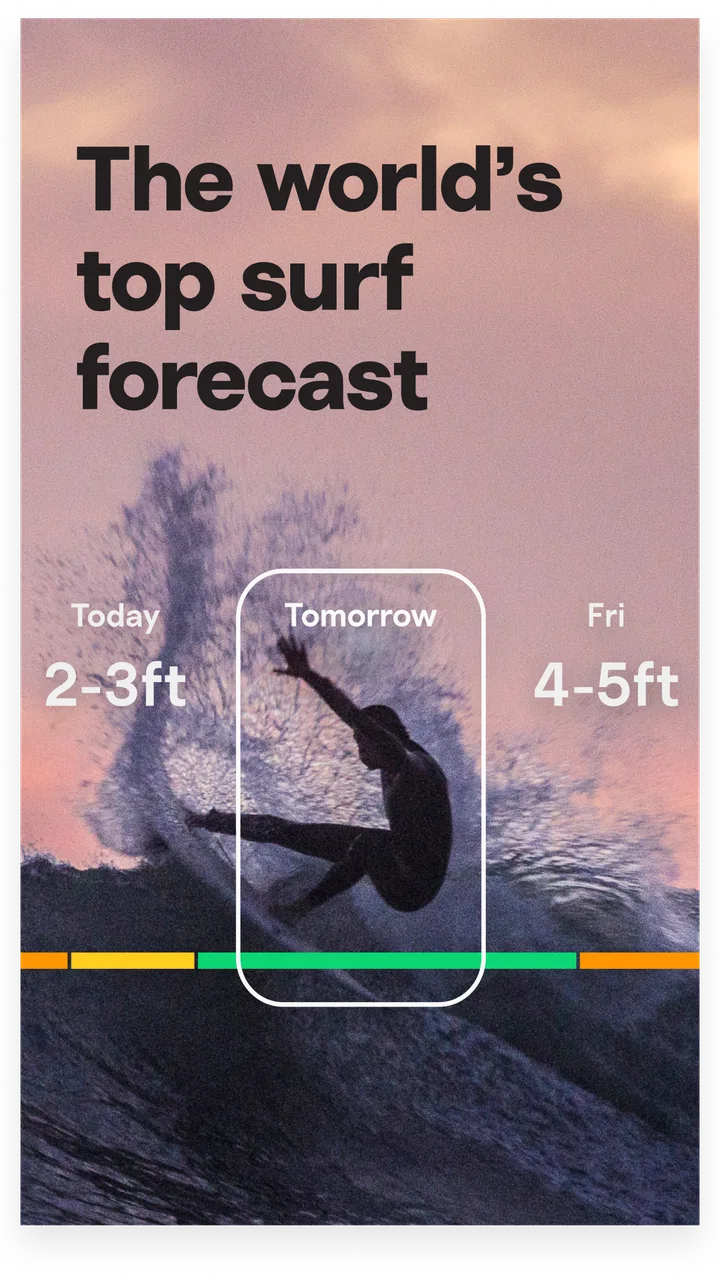
I use weather apps for quick decisions, but surfing demands more than a simple temperature icon. Before leaving home, I want to know whether the waves are worth the drive, whether the wind may ruin the session, and whether the tide is moving in the direction I need. Surfline: Wave & Surf Reports is built around that specific routine. It is a free weather app from Surfline/Wavetrak, Inc. that brings forecasts, surf cameras, wind information, and tide details into one place.
My first impression is that it feels less like a general weather service and more like a planning tool for people who think in beaches, swell windows, tide changes, and camera checks. That focus is its main advantage. It does not try to be the best choice for every kind of weather question, but it can be much more useful than a standard forecast app when the real question is, “Is it worth going to the coast right now?”
The app has been available since August 2, 2011, and its current version is 11.1.2. It is rated for Everyone, works on Android 8.0 or later, and has passed one million installs. Its average rating is 4.2 from roughly nine thousand ratings, with about two and a half thousand written reviews. Those figures suggest an established product with a broad user base, although the rating also reflects the fact that surf conditions are local, changeable, and difficult for any app to represent perfectly.
You May Also Like

 Blood Strike: 2.5 Anniversary
Blood Strike’s Loadouts Turn Every Drop Into a Tactical Gamble
A close look at Blood Strike’s custom loadouts: how fast access to signature weapons reshapes its battle royale rhythm, rewards preparation, and narrows the gap between fights.

 Pandora - Music & Podcasts
Pandora’s Music Is Easy to Start, but Harder to Recover
Pandora’s strength is its low-effort path from a seed to a station. Its weak spot is how much confidence it asks you to place in connection, setup, and quiet recovery.

 8 Ball Pool
 Is Built on Rivalries, Rematches, and Routine
A close look at the rivalries, rematches, shared routines, and unanswered safety questions that turn a quick pool match into a persistent mobile community.

 Samsung Music
’s Quiet Strength Is Playing What You Already Own
Its reach comes less from spectacle than from dependable access to a personal library. That simplicity is both the app’s strongest retention engine and its ceiling.

 AccuWeather: Weather Radar
AccuWeather Review: A Quick, Clear Forecast for Everyday Decisions
For everyday plans, the best forecast is the one you can understand quickly. AccuWeather makes rain timing, radar, and local conditions easy to act on, with a few trade-offs.

 Hill Climb Racing
Why Hill Climb Racing Still Turns Crashes Into One More Run
A tiny car, a bumpy hill and one more upgrade: Hill Climb Racing keeps resurfacing because its simple chaos makes every near-miss feel personal.
More From Our News Desk



How Surfline fits into a real surf day
I start this section with the moment a surf plan is still only a possibility: I have a free window, a few beaches in mind, and no good reason to assume my usual spot will be best. Surfline is most useful when I treat it as a way to compare those choices, not as a promise about the water. From there, the practical question is how to move through its information before setting off.
The useful part begins before you leave
I find the app most valuable during the short period between waking up and deciding whether to pack the board. A normal weather app may tell me that it is windy or that rain is approaching, but Surfline organizes the information around a surf spot. That changes the decision-making process. Instead of translating a general forecast into a guess, I can compare the conditions shown for the coast I am considering and then decide whether the trip makes sense.
The camera element is especially important in that workflow. Forecasts describe what may happen, while a camera view can help me judge what is happening now. I would not treat a camera as a perfect measurement tool, because visibility, angle, lighting, and the position of the camera all affect what I see. Still, checking both the forecast and the live-looking visual view is more practical than relying on either one alone.
A useful habit is to check the spot before getting dressed, then check again shortly before leaving. The first visit helps with planning; the second can reveal whether the conditions have shifted enough to change the decision. That is one of the app’s less obvious strengths: it supports a repeated check without requiring me to combine several unrelated services.
Connectivity is part of the experience
Surfline depends heavily on a working connection because its most useful information is current by nature. Forecast updates, camera views, wind details, and tide information only help when the app can retrieve them. In a city or along a well-covered coastline, this may feel invisible. On a remote beach, in a crowded parking area, or on a road with weak reception, the experience can become less predictable.
I see this as a practical limitation rather than a flaw unique to Surfline. A camera view cannot be refreshed without data reaching the phone, and a forecast becomes less trustworthy as conditions move away from the last successful update. The important point is to check while connected, rather than assuming the app will always be equally useful at the water’s edge.
For that reason, I would not make the app my only safety reference. Surf conditions can change quickly, and a phone that cannot connect is not a reliable source of current information. I use Surfline to improve my planning, not to replace local knowledge, common sense, or attention to the actual water.
Moving between home, the road, and the beach
The app works best when I treat it as a three-stage tool. At home, I can compare possible locations and look at the broader forecast. On the way, I can make a final check if the connection is stable. At the beach, I use the visible conditions and my own judgement to confirm whether the forecast still matches reality. Each stage answers a different question, and expecting one screen to answer all three usually leads to disappointment.
This approach is also helpful for people who surf irregularly. A dedicated surfer may already know which local signals matter, but a casual user can use the app as a compact checklist: look at the forecast, inspect the camera, consider the wind, and account for the tide. That does not remove the need to learn the beach, but it gives a beginner a more organized starting point than opening a general weather app and guessing.
On a phone, the main advantage is convenience. I can make a decision without opening several separate services or searching the web for a camera, a tide table, and a wind report. The trade-off is that a smaller screen makes detailed comparisons less comfortable. If I am studying several spots or trying to understand how conditions may evolve across the day, I prefer taking a few extra moments rather than making a rushed decision from a quick glance.
A realistic everyday scenario
Imagine planning an early session before work. I would first check two or three nearby beaches instead of immediately committing to my usual one. I would look at the forecast for the time I can actually surf, inspect the available camera view, and pay attention to the wind and tide information. If one location looks promising but the camera suggests a messy surface, I would not ignore that contradiction. I would treat it as a reason to wait, choose another spot, or skip the session.
Before driving, I would repeat the check on a reliable connection. This matters because the cost of a wrong decision is not only a bad surf. It can also be wasted fuel, lost time, and arriving after conditions have changed. Once there, I would compare the app’s picture with the beach itself. If the two disagree, the water in front of me wins.
That workflow shows where Surfline earns its place. It does not magically create good waves, but it helps reduce avoidable trips. The app is most useful when I use it to compare evidence rather than treating one forecast label as a promise.
Reading more than the headline forecast
The store summary highlights forecasts, cameras, wind, and tide, but the practical value comes from combining them. A wave forecast viewed without wind can be misleading. A promising wind direction viewed without the tide may not fit the beach at the time I am free. A camera view can look attractive while still failing to show what the next hour will bring.
My advice is to avoid making the decision from the first prominent condition you notice. Start with the time window, then check the factors that can change the quality of the session. This is a simple habit, but it prevents the common mistake of seeing “good waves” and overlooking an unfavorable wind or tide.
Another useful tip is to compare the app’s information with what you already know about a familiar break. Over time, that gives you a better sense of how the forecast behaves at that location. Surfline becomes more useful as a reference point, not because it replaces experience, but because experience helps you interpret it.
Where the connection can let you down
The weakest moments are the ones in which I need fresh information immediately and the network is unreliable. A camera may take too long to load, a forecast may not refresh when I expect it to, or the app may be less useful in a remote area than it was at home. Since the app’s appeal is tied to current coastal information, these interruptions affect the central experience rather than an optional extra.
I handle that by checking important details before leaving dependable coverage. I also avoid assuming that a screen I saw earlier still represents the beach now. This is not a workaround that makes the app independent of connectivity; it is simply a sensible way to use a connection-dependent service.
Recovery after an interruption is straightforward in principle: reconnect, reopen the relevant spot, and verify that the information has updated before relying on it. I prefer this deliberate check to continuing from memory. If I cannot confirm the current conditions, I downgrade the app’s information from “decision-making evidence” to “background context.”
That distinction matters for safety. Surfline can help me plan, but it cannot evaluate my ability, the hazards at a particular moment, or whether I should enter the water. A forecast screen should never overrule visible danger, local warnings, or my own limits.
Using it without wasting mobile data
Camera content is the part I would treat most carefully when managing mobile data. A live visual feed is naturally more demanding than reading a short forecast, especially if I repeatedly reload it while traveling. I do not need to watch continuously to make a useful decision. One check at home and one final check near departure are usually more sensible than leaving the camera open throughout the journey.
I also prefer reviewing the forecast and tide information first, then opening the camera only when it can resolve a real question. If the forecast already rules out the session, there is little value in repeatedly loading visual content. If the forecast is borderline, the camera becomes more useful because it can help me decide whether the trip is worthwhile.
This order creates a better balance between information and connectivity. Text-based details can guide the initial choice, while the camera is reserved for confirmation. It also reduces the temptation to refresh simply because conditions are uncertain. Uncertainty is sometimes a reason to observe the beach directly, not a reason to consume endless updates.
People with limited data plans should also remember that a free download does not mean every part of the experience is free of cost. Surfline includes in-app purchases ranging from one dollar to one hundred forty-nine dollars and ninety-nine cents per item. I would review the purchase screen carefully and decide whether the features available without payment are enough for my routine before committing to anything extra.
Free access and the question of value
The free price makes Surfline easy to try, especially for someone who surfs occasionally and wants a more focused alternative to a general weather app. I can see the appeal for travelers, beginners, and anyone comparing a few coastal locations before making a drive. The broad availability also explains why it has become a familiar name in this niche.
Whether it is good value depends on how often I surf and how much I rely on detailed planning. A casual user may get enough from checking conditions and cameras without paying. A frequent surfer may consider the in-app purchases if the additional experience fits a regular routine, but I would not assume that paying automatically makes an uncertain forecast certain. The underlying weather and ocean conditions remain variable.
There is also a psychological trade-off. A polished forecast can encourage me to over-plan, while surfing often involves accepting that the ocean will not follow a schedule. I get the most from the app when I use it to narrow my options, not when I expect it to guarantee a perfect session.
How it compares with ordinary weather apps
A general weather app is usually better for broad daily planning: temperature, rain, alerts, and conditions around town. If I only need to know whether to carry a jacket, Surfline is more specialized than necessary. It may also be less convenient as an all-purpose weather companion because its focus is the coast and surf decision-making.
For surfing, however, the comparison changes. Surfline brings beach-oriented information and camera checking into the same experience, which saves time compared with searching for separate tide tables, wind reports, and beach webcams. Its advantage is not that every individual forecast must be perfect; it is that the pieces are arranged around a surfer’s question.
Local knowledge can still be better for a familiar break. An experienced local may understand how a particular wind direction interacts with a reef, channel, or nearby headland in a way an app cannot communicate fully. A dedicated tide service may also suit someone whose main need is precise tide planning rather than surf conditions. I would choose Surfline when I want a broad, practical overview of a surf spot, and a more specialized source when one narrow detail is the entire decision.
Who should use it, and who should skip it
I recommend Surfline to surfers who regularly decide between beaches, people who travel for sessions, and beginners who want to learn how wind, tide, visual conditions, and forecasts fit together. It is also useful for the friend who is always asking whether the drive is worth it. Having the relevant information in one app makes those conversations and decisions faster.
I would be more cautious recommending it to someone who rarely visits the coast, has very limited connectivity, or only wants a conventional rain and temperature forecast. In those cases, the surf-specific focus may not justify another app. I would also tell safety-conscious users not to confuse convenience with certainty. The app can support preparation, but it should not be the sole basis for entering unfamiliar water.
For parents or younger users, the Everyone content rating is reassuring from an access standpoint, although the subject itself still calls for sensible supervision around the ocean. The app’s rating does not make the water safer, and a forecast cannot replace an adult’s judgement about conditions and ability.
My connectivity verdict
Surfline is strongest when I have enough signal to check it before a trip and again at the right moment, rather than expecting uninterrupted service everywhere. Its cameras and current surf information make connectivity central to the experience, so remote beaches and weak coverage deserve extra planning. I would prepare at home, limit unnecessary refreshing, and verify the latest information before treating it as useful evidence.
After using it as a weather and surf-planning companion, I see it as a focused tool rather than a universal forecast replacement. The free entry point, established developer Surfline/Wavetrak, Inc., and large user base make it easy to try, while the in-app purchase range means I would examine any upgrade carefully. The current version, 11.1.2, supports a mature app experience, but maturity does not remove the need for judgement when conditions change.
My honest recommendation is to use Surfline as one part of a surf decision, not as the decision itself. Check the forecast, inspect the camera when the connection allows it, consider wind and tide together, and then look at the actual water. If that workflow matches how you plan sessions, this app can save time and make coastal choices more informed. If you need only ordinary weather information or expect dependable service in places with poor reception, a simpler or more locally focused option may suit you better.
For me, the best reason to keep it installed is not the promise of perfect predictions. It is the practical combination of planning information and visual context. When the network is available and I use the app with realistic expectations, it turns a vague question about the coast into a clearer decision about whether, where, and when to go.
FAQs for Surfline: Wave & Surf Reports
01What features does Surfline: Wave & Surf Reports offer to users?
Surfline provides real-time surf reports, live HD beach cams, and detailed forecasts for thousands of surf spots worldwide. It also includes tide schedules, wind conditions, and surf height data to help surfers plan their sessions. Additionally, the app offers expert analysis and surf news, catering to both novice and experienced surfers.
02Is the Surfline app free to use, or does it require a subscription?
Surfline offers both free and premium versions. The free version provides limited access to surf reports and forecasts. To unlock full features, including ad-free HD cams and extended forecasts, users can subscribe to Surfline Premium. The subscription enhances the user experience for those seeking comprehensive surf data.
03How accurate are the surf forecasts provided by Surfline?
Surfline is renowned for its accuracy and reliability in surf forecasting, utilizing advanced modeling and local expertise. While no forecast can be 100% accurate due to changing weather patterns, Surfline's predictions are trusted by surfers around the globe for their precision and timeliness, making it a go-to resource.
04Can beginners benefit from using Surfline: Wave & Surf Reports?
Absolutely. Surfline caters to surfers of all skill levels by providing detailed reports and guides. Beginners can learn about wave conditions and pick optimal times and locations that suit their ability. Moreover, the app’s tutorials and expert advice sections are invaluable for those new to the sport.
05What devices support the Surfline app and how do I download it?
Surfline is available for both Android and iOS devices. Users can download the app from the Google Play Store or Apple App Store. It is compatible with most smartphones and tablets, ensuring accessibility for users looking to stay informed about surf conditions on-the-go.
Pros
- Comprehensive surf forecasts and reports.
- High-quality live beach cameras.
- Customizable alerts for surf conditions.
- Extensive global beach coverage.
- User-friendly interface.
Cons
- Requires subscription for full features.
- Live cams can lag during peak times.
- GPS can drain battery quickly.
- Some ads in free version.
- Occasional data update delays.

Surfline: Wave & Surf Reports
Gallery